

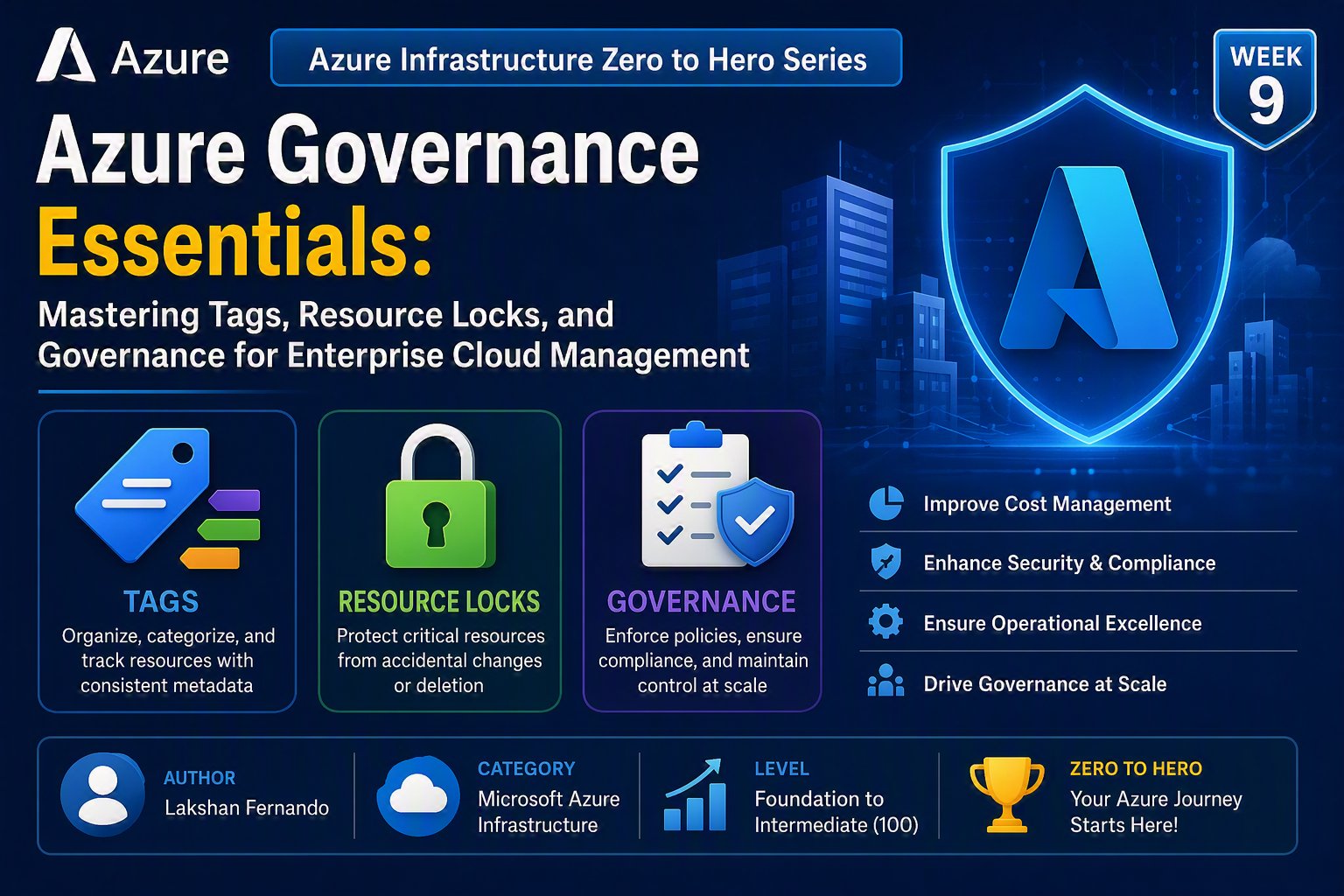
Azure Infrastructure Zero to Hero Series – Week 9
Author: Lakshan Fernando
Category: Microsoft Azure Infrastructure
Level: Foundation to Intermediate (100)
Azure Governance Essentials: Mastering Tags, Resource Locks, and Governance for Enterprise Cloud Management
As organizations grow their Azure environments, managing cloud resources becomes increasingly complex. What starts with a handful of virtual machines and storage accounts can quickly expand into hundreds or even thousands of resources spread across multiple subscriptions, regions, and business units.
Without proper governance, organizations often face common challenges such as rising cloud costs, inconsistent resource naming, accidental deletion of critical services, lack of ownership visibility, security gaps, and compliance issues.
This is where Azure Governance becomes essential.
Azure Governance is a collection of services, policies, and best practices that help organizations control, organize, secure, and optimize their Azure environment while ensuring consistency across teams and subscriptions.
Three of the simplest yet most powerful governance features every Azure administrator should understand are the following:
- Azure Tags
- Azure Resource Locks
- Azure Governance Fundamentals
These features require minimal configuration but provide significant benefits in cost management, operational control, security, and compliance.
In this article, we'll explore how Azure tags, locks, and governance work, why they matter, and how to implement them effectively in enterprise environments.
What is Azure Governance?
Azure Governance is the process of establishing rules, standards, and controls that ensure cloud resources are deployed and managed according to organizational requirements.
Governance helps answer important questions such as:
- Who owns this resource?
- Which department is paying for it?
- Is the resource compliant with company policies?
- Can anyone accidentally delete this VM?
- Are all production resources properly secured?
- Which resources belong to a specific project?
- Are resources deployed only in approved regions?
Without governance, Azure environments often become difficult to manage, resulting in unnecessary costs, security risks, and operational inefficiencies.
Azure Governance Components
Azure governance consists of several services working together.

As organizations mature their Azure adoption, additional services such as Azure Blueprints (legacy), Azure Landing Zones, Microsoft Defender for Cloud, Azure Monitor, and Azure Cost Management further strengthen governance.
Why Governance is Important
Imagine an organization with hundreds of Azure resources.
Questions quickly arise:
- Which VM belongs to Finance?
- Which storage account is used by HR?
- Which virtual machines are production?
- Who created this SQL Server?
- Which resources can safely be deleted?
- Why is the monthly Azure bill increasing?
Without governance, answering these questions becomes extremely difficult.
Proper governance provides:
- Better resource organization
- Cost visibility
- Security enforcement
- Operational consistency
- Regulatory compliance
- Reduced human error
- Improved accountability
Understanding Azure Tags
Azure Tags are key-value pairs that can be assigned to Azure resources.
They provide metadata that helps organize, search, automate, and report on resources.
Think of tags as labels attached to cloud resources.
Example:
Virtual Machine
Name: APP-PROD-01
Tags
Environment = Production
Department = Finance
Owner = IT Operations
Application = ERP
CostCenter = FIN001
BusinessUnit = Corporate
Tags do not affect the performance or functionality of a resource. Instead, they improve management and reporting.
Benefits of Azure Tags
Tags provide numerous operational and financial benefits.
They help you:
- Identify resource ownership
- Track application dependencies
- Allocate costs to departments
- Simplify resource management
- Improve reporting
- Support automation
- Enhance governance
- Filter resources in the Azure portal
- Generate cost reports by business unit
Common Azure Tag Examples
Organizations often define a standard tagging strategy.
Example:
|
Tag Name |
Example Value |
|
Environment |
Production |
|
Department |
Finance |
|
CostCenter |
CC-1001 |
|
Owner |
Lakshan Fernando |
|
Application |
ERP System |
|
Project |
Azure Migration |
|
Business Unit |
Corporate |
|
Criticality |
High |
|
Backup |
Enabled |
|
DR |
Yes |
These tags allow administrators to quickly identify the purpose and ownership of resources.
Tagging Best Practices
A successful tagging strategy should be:
Consistent
Use standardized tag names.
Good:
Environment
Avoid:
Env
ENV
environment
Prod
Inconsistent naming makes reporting difficult.
Mandatory
Require important tags during resource deployment.
Examples:
- Environment
- Owner
- CostCenter
- Department
Automated
Use Azure Policy to automatically apply or enforce required tags.
Documented
Publish organizational tagging standards so all teams follow the same conventions.
Azure Cost Management with Tags
One of the biggest advantages of tags is cost allocation.
Suppose your monthly Azure bill looks like this:

This enables accurate chargeback or showback reporting.
Resource Filtering Using Tags
Azure Portal allows administrators to filter resources by tags.
Examples:
Show only:
Environment = Production
or
Department = Finance
This greatly simplifies resource management in large environments.
What are Azure Resource Locks?
Resource Locks prevent accidental modification or deletion of Azure resources.
One of the most common causes of cloud outages is accidental deletion by administrators.
Azure Locks provide an extra layer of protection beyond Role-Based Access Control (RBAC).
Types of Azure Resource Locks
Azure supports two lock types.
CanNotDelete Lock
Resources can still be modified but cannot be deleted.
Example:
Production SQL Server
Lock
CanNotDelete
Administrators may update configurations, but deletion is blocked until the lock is removed.
ReadOnly Lock
The strongest protection.
Users cannot:
- Modify resources
- Delete resources
The resource becomes effectively read-only until the lock is removed.
Lock Hierarchy
Locks inherit through the Azure resource hierarchy.
Management Group
↓
Subscription
↓
Resource Group
↓
Virtual Machine
If a lock is applied at the Resource Group level, all resources within that Resource Group inherit the lock unless removed from the hierarchy.
This makes it easier to protect entire environments.
Real-World Lock Example
Imagine a production environment.
Production Resource Group:
SQL Server
Virtual Machine
Storage Account
Key Vault
Load Balancer
Applying a CanNotDelete lock to the Resource Group prevents accidental deletion of any of these resources while still allowing updates.
This simple action can prevent costly outages.
When Should You Use Resource Locks?
Resource Locks are highly recommended for:
- Production Virtual Machines
- Domain Controllers
- SQL Servers
- Key Vaults
- Storage Accounts
- Recovery Services Vaults
- Virtual Networks
- Application Gateways
- Azure Firewalls
- ExpressRoute circuits
Avoid applying ReadOnly locks to resources that require frequent configuration changes or automated deployments.
Understanding Azure Policy
Azure Policy is a governance service that helps organizations enforce standards and assess compliance across Azure resources.
Unlike Tags and Locks, Azure Policy can evaluate and control resource configurations.
Examples include:
- Restricting resource locations
- Enforcing naming conventions
- Requiring tags
- Restricting VM sizes
- Enforcing HTTPS-only settings
- Requiring managed disks
- Enabling diagnostic settings
- Blocking public IP addresses
Policies can be assigned at different scopes, including Management Groups, Subscriptions, and Resource Groups.
Azure Policy Effects
Azure Policy supports several effects.

Organizations often begin with Audit mode to understand their environment before switching to Deny for stricter enforcement.
Azure Role-Based Access Control (RBAC)
Governance also includes controlling who can perform specific actions.
Azure RBAC allows permissions to be assigned based on roles.
Common built-in roles include:
|
Role |
Permissions |
|
Owner |
Full access including role assignment |
|
Contributor |
Manage resources but cannot assign roles |
|
Reader |
View-only access |
|
User Access Administrator |
Manage user access and role assignments |
Following the principle of least privilege ensures users receive only the permissions necessary to perform their jobs.
Management Groups
Large organizations often have multiple Azure subscriptions.
Management Groups provide a way to organize subscriptions and apply governance consistently.
Policies, RBAC assignments, and governance controls can be applied at the Management Group level and inherited by child subscriptions.
Naming Standards
Good governance starts with consistent resource naming.
Example naming convention:
VM-PRD-ERP-001
Meaning:
|
Component |
Description |
|
VM |
Resource Type |
|
PRD |
Environment |
|
ERP |
Application |
|
001 |
Sequence Number |
Benefits include:
- Easier resource identification
- Improved automation
- Better operational consistency
- Simplified troubleshooting
Document naming conventions and enforce them where possible using Azure Policy.
Cost Governance
Governance also involves controlling cloud spending.
Azure Cost Management provides:
- Budget creation
- Cost alerts
- Forecasting
- Cost analysis
- Spending trends
- Recommendations
Combining budgets with resource tags provides greater visibility into departmental spending and helps prevent unexpected costs.
Enterprise Governance Example
A mature Azure environment might follow this structure:
 This layered approach ensures governance is applied consistently while allowing flexibility where appropriate.
Governance Best Practices
To build a well-governed Azure environment:
- Develop and document a standard tagging strategy.
- Require mandatory tags such as Environment, Owner, CostCenter, and Department.
- Use Azure Policy to enforce tagging, naming standards, and security requirements.
- Protect production resources with Resource Locks.
- Assign permissions using Azure RBAC and the principle of least privilege.
- Organize subscriptions using Management Groups.
- Monitor costs with Azure Cost Management and budgets.
- Review governance policies regularly to align with evolving business needs.
- Automate governance through Infrastructure as Code (IaC) using ARM templates, Bicep, or Terraform.
Common Governance Mistakes
Avoid these common issues:
- Deploying resources without tags.
- Using inconsistent tag names and values.
- Granting Owner access to all administrators.
- Forgetting to protect production resources with locks.
- Failing to implement Azure Policy.
- Ignoring cost monitoring and budget alerts.
- Creating inconsistent naming conventions across teams.
- Applying governance only after the environment has grown significantly.
Final Thoughts
Governance is not about restricting innovation—it is about enabling organizations to operate securely, consistently, and efficiently at scale.
Azure Tags provide the metadata needed to organize resources and allocate costs. Resource Locks help prevent accidental deletion or modification of critical services. Azure Policy ensures that deployments comply with organizational standards, while RBAC controls who can perform specific actions. Together with Management Groups, naming standards, and Cost Management, these capabilities form the foundation of effective Azure governance.
Whether you're managing a small Azure subscription or a large enterprise environment with thousands of resources, investing time in governance early will save significant effort later. A well-governed Azure environment is easier to manage, more secure, more cost-effective, and better aligned with business objectives.
Key Takeaways
- Azure Governance provides the framework for managing resources securely and consistently.
- Azure Tags improve organization, ownership tracking, automation, and cost reporting.
- Resource Locks protect critical resources from accidental deletion or modification.
- Azure Policy enforces organizational standards and continuously evaluates compliance.
- Azure RBAC controls access using the principle of least privilege.
- Management Groups simplify governance across multiple subscriptions.
- Consistent naming conventions and tagging strategies improve operational efficiency.
- Governance should be implemented from the beginning of any Azure adoption journey rather than added as an afterthought.

No comments yet. Be the first to share your thoughts!